IPTV Free Trial (2026): How to Test Streams, Spot Scams & Get Instant Access
Evaluate IPTV services risk-free in 2026. Discover how to request an IPTV free trial, run real-world stress tests during peak live sports, identify fake trial traps, and verify stream stability.
Streaming Quality & Network Analyst
Verified Technical Guide
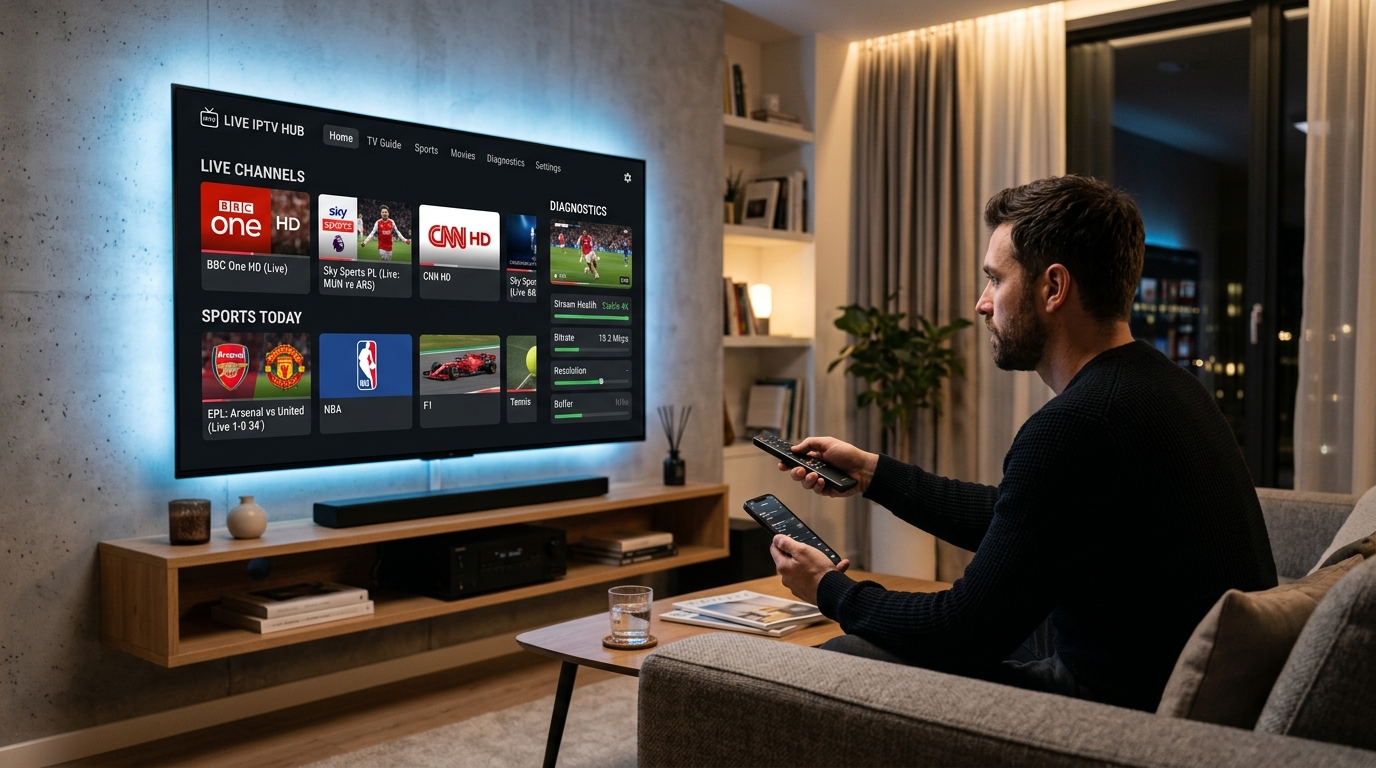
Key Takeaways & Quick Summary
- 1An IPTV free trial (typically lasting 24 to 48 hours) is the single most reliable way to evaluate real-world stream stability, channel zapping speed, and server load before committing your money.
- 2Always stress-test an IPTV trial during peak evening hours (8:00 PM – 11:00 PM) or during live championship sports events to reveal whether a provider’s servers choke under heavy traffic.
- 3Beware of predatory trial traps: legitimate providers never require long-term auto-billing commitments or credit card details upfront just to sample a 24-hour test stream.
- 4A comprehensive evaluation checklist must cover native 60fps video smoothness, Electronic Program Guide (EPG) data accuracy, multi-device compatibility, and customer support responsiveness.
- 5Instant test streams and verified Xtream Codes credentials are provided directly via WhatsApp at +44 7934 683184 with zero automated subscription traps.
Switching from a traditional $150-per-month cable contract to an internet television subscription is one of the smartest household financial moves you can make. However, the sheer number of online streaming providers makes choosing the right service daunting. Shiny marketing banners promising 50,000 channels mean nothing if those streams constantly freeze right before a penalty kick or buffering wheels spin during prime-time broadcasts.
This reality is why taking advantage of an IPTV free trial has become an indispensable step for smart cord-cutters. A hands-on test drive lets you inspect the real-world performance of a provider’s server infrastructure directly on your living room television before parting with a single dollar.
In this exhaustive 2026 guide, you will learn how an authentic IPTV trial works, what critical red flags to avoid, a 7-point technical testing checklist to run during your trial window, and how to secure instant, risk-free access to enterprise-grade streams.
Why an IPTV Free Trial is Essential Before Buying
In the streaming industry, anyone can build a flashy promotional website advertising tens of thousands of channels. But until you connect your media player directly to a provider’s Content Delivery Network (CDN), you cannot verify the underlying engineering quality.
Requesting a test stream serves three critical purposes that protect your wallet and ensure a smooth viewing experience:
1. Verifying Server Capacity Under Real Peak Load
Cheap, low-tier reseller services often host thousands of active accounts on single, underpowered virtual servers. During quiet weekday mornings, their streams might look passable.
However, when Sunday football kicks off or a pay-per-view championship fight airs, hundreds of thousands of simultaneous connections overload their network pipes, triggering catastrophic buffering loops. A 24-hour trial allows you to test during real-world peak hours when servers face maximum traffic.
2. Auditing True Video Resolution (Authentic 4K vs. Fake Upscaling)
Many unvetted providers label standard 720p or low-bitrate 1080i feeds with "4K Ultra HD" badges. A live trial gives you the chance to inspect raw bitrates and frame rates.
Genuine high-definition sports streams must broadcast at 60 frames per second (fps). If fast camera pans look blurry or jittery, the provider is serving compressed 25fps or 30fps feeds unsuitable for large living room displays.
3. Checking Local Device and Player Compatibility
Whether your home runs on an Amazon Firestick, an Apple TV 4K, a Samsung/LG Smart TV, or Android boxes, a trial verifies that playlist formats (Xtream Codes API or M3U) sync effortlessly with your preferred player software like TiviMate or IPTV Smarters Pro.
How an Authentic IPTV Free Trial Works (Step-by-Step)
While specific onboarding procedures vary slightly between platforms, a reputable trial follows a transparent, automated delivery pipeline:
Step 1: Requesting Your Test Account
You submit a trial request specifying your primary streaming hardware (e.g., Firestick, Apple TV, Smart TV, or PC) and preferred connection format.
Transparent providers allow you to request a trial directly through secure customer desks—such as direct WhatsApp messaging or email—without forcing you to input sensitive banking details or enroll in recurring credit card subscriptions.
Step 2: Receiving Xtream Codes and M3U Credentials
Within minutes, the provider’s automated billing system provisions a temporary 24-hour or 48-hour access token on their CDN servers.
You receive three pieces of connection information: Server Portal URL (domain and port), Username, and Password (along with a dynamic M3U playlist link).
Step 3: Loading and Testing the Playlist
You enter the credentials into your media player, synchronize the channel directory and Electronic Program Guide (EPG), and begin your evaluation window.
The 7-Point Evaluation Checklist: What to Test During Your Trial
A 24-hour trial passes quickly. To make the most of your testing window, follow this structured 7-point audit checklist:
1. Channel Zapping Speed (Target: Under 1.5 Seconds)
Channel zapping refers to the delay between clicking a channel on your remote and video frames appearing smoothly on your display.
On an enterprise-grade provider like IPTVBoz, channel switches take between 0.5 and 1.5 seconds. If a trial takes 4 to 8 seconds to buffer every single channel switch, the provider’s media caching servers are overloaded.
2. Peak-Hour Sports Stress Test (8:00 PM – 11:00 PM)
Tune into marquee live events—such as Premier League soccer, NFL football, NBA basketball, or live combat sports—precisely during peak viewing hours.
Watch continuously for at least 30 minutes without changing channels. Verify that the broadcast remains rock-solid without stuttering or looping back five seconds.
3. Electronic Program Guide (EPG) Accuracy
An IPTV service without a working TV guide feels chaotic. Verify that program schedules populate for both local affiliates and international networks.
Check whether program descriptions, start times, and upcoming show details align correctly with your local time zone.
4. Video and Audio Synchronization on High-Bitrate Feeds
Switch between 1080p 60fps channels and 4K Ultra HD feeds. Pay close attention to dialogue and live sports commentary: audio and video must remain perfectly aligned.
If sound drifts out of sync, check your player’s hardware decoder settings or consult our IPTV buffering optimization guide.
5. Video-on-Demand (VOD) Library & Subtitle Integration
Explore the movie and TV series catalog. Test whether popular cinematic releases load instantly, verify that rewind and fast-forward controls work without crashing the player, and confirm that multi-language subtitles render cleanly.
6. Wi-Fi vs. Ethernet Stability Check
Test the stream on your standard 5GHz Wi-Fi connection, and if possible, compare it against a wired Ethernet cable. This helps you determine whether any occasional micro-stutters are caused by local home router interference or server-side latency.
7. Customer Support Responsiveness Test
Send a brief technical or setup question to the provider’s support desk during your trial. How quickly do they respond? Do real human specialists answer with actionable advice, or do you receive an automated bot reply hours later?
At IPTVBoz, our customer desk responds within 1 to 2 hours directly on WhatsApp (+44 7934 683184) and email.
Red Flags: How to Spot Fake IPTV Free Trial Scams
Unfortunately, the popularity of IPTV has attracted opportunistic scammers operating misleading "free trial" schemes. Be vigilant against these widespread warning signs:
• Upfront Credit Card Demands with Hidden Auto-Billing
Any website that advertises a "free" trial but requires you to enter full credit card details with pre-authorized recurring monthly billings is a trap. These operators bank on consumers forgetting to cancel within 24 hours, locking them into difficult-to-cancel monthly subscriptions.
• Forcing You to Download Suspicious Unverified APK Files
Legitimate IPTV providers are software-agnostic: they supply standardized Xtream Codes API or M3U credentials that work inside reputable, open-market media players (like TiviMate, IPTV Smarters Pro, or IBO Player).
If a service insists that you must install their proprietary, custom-built Android `.apk` file outside the App Store before accessing a trial, proceed with extreme caution—these custom apps often harbor invasive ad trackers or malware.
• Zero Contact Channels or Cryptocurrency-Only Portals
If a provider provides no visible customer service email, no direct WhatsApp support, and no company identity, resolving future billing or server issues will be impossible.
Free Trial vs. Paid Subscription: Side-by-Side Comparison
To understand how an evaluation trial fits into your broader cord-cutting strategy, compare the features of a temporary test account against an active full subscription:
Comparison Overview
• Access Duration: Free Trial (24 to 48 Hours) | Paid Subscription (1 Month to 24 Months on our pricing comparison page).
• Channel Lineup: Free Trial (Full 50,000+ Channels & VOD) | Paid Subscription (Full 50,000+ Channels & VOD with Priority Routing).
• Concurrent Connections: Free Trial (1 Active Device) | Paid Subscription (1, 2, 3, or 4 Simultaneous Connections for Multi-Room Households).
• Server Failover Priority: Free Trial (Standard Tier-1 CDN) | Paid Subscription (Dedicated Anti-Freeze 9.0 Premium Bandwidth Clusters).
• Commitment Level: Free Trial ($0 / Zero Contracts) | Paid Subscription (Starting at $14.99/mo or $59.99/year with full refund protection).
How to Get Your Instant IPTVBoz IPTV Test Stream
Ready to experience authentic buffer-free 4K television on your home devices? Getting your trial set up takes less than two minutes:
1. Visit our pricing and plans directory to view our channel lineups and screen packages.
2. Reach out directly to our live customer desk on WhatsApp at +44 7934 683184 or message us via our contact help desk.
3. Our team will generate your personalized Xtream Codes credentials (Server URL, Username, and Password) and provide step-by-step guidance tailored to your specific device.
4. Enjoy 24 hours of uninterrupted live sports, premier entertainment, and on-demand movies with zero commitments and zero credit card traps.
Frequently Asked Questions
Is an IPTV free trial completely free?
Yes! A genuine IPTV trial does not require credit card details or recurring auto-billing commitments. It provides temporary 24-to-48-hour access tokens so you can evaluate stream quality, server stability, and channel selection with zero financial risk.
Do I need special hardware to test an IPTV trial?
No. You can run your IPTV trial on hardware you already own, including Amazon Firesticks, Apple TV 4K, Smart TVs (Samsung Tizen and LG webOS), Android boxes, Windows PC, Mac, iPhone, iPad, or Android smartphones.
How long does an IPTV free trial typically last?
Most reputable IPTV trials last between 24 and 48 hours. This timeframe provides ample opportunity to test the service across both daytime broadcasting and high-traffic evening sports events.
Can I test live sports and pay-per-view events on a trial?
Yes. An authentic trial grants access to the full live broadcast catalog, allowing you to verify 1080p 60fps and 4K Ultra HD sports feeds, international football leagues, basketball, motorsports, and combat sports under real viewing conditions.
What information do I receive with my IPTV trial?
You will receive three standard credentials: a Server Portal URL, your unique Username, and a secure Password (Xtream Codes API), along with a dynamic M3U playlist link and XMLTV Electronic Program Guide (EPG) address.
Need Help Configuring Your Setup?
Our team is active on WhatsApp (+44 7934 683184) and email (tvplusone24@gmail.com) to walk you through playlist setup, recommend media players, or activate your subscription instantly.
Keep Reading
Recommended Streaming Guides

How to Stop IPTV Buffering: 8 Proven Fixes for Smooth 4K Streaming (2026)
M3U Playlist: Complete 2026 Guide to IPTV URLs, Setup & Best Players